Turn game speech into bilingual subtitles with HOT DOG Voice Translator. Capture playback audio, translate microphone replies, copy text or play AI voices. Customize floating captions and use offline translation. Local speech recognition requires a compatible NVIDIA GPU.
HOT DOG Voice Translator is a Windows desktop voice translation tool. Choose an audio source and translation languages to display recognized speech with its translation. Record your own reply to generate text you can copy or play as synthetic speech.
Playback audio into bilingual subtitles
Capture system playback, a selected output device, or supported audio from a specific application. Select the source language or use automatic language detection. Compare the original and translated text together.
Prepare replies with your microphone
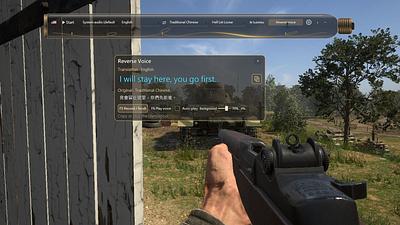
Open reverse voice translation to reverse the main toolbar's language pair. Press the recording shortcut once to start speaking and again to finish and translate. Once the translation is ready, copy it or play an AI voice to help you learn how to say your reply in the translated language.
Synthetic speech plays through your computer's output device. Sending it to another application or to teammates requires separate audio routing; HOT DOG Voice Translator does not automatically transmit it into a game's voice channel.
Subtitles that fit your screen
Move captions and adjust their font, size, colors and background opacity. Use shortcuts to control capture, hide or recall the toolbar. Copy translations directly. The reverse translation panel hides automatically when idle.
Local offline translation
Speech recognition, translation and synthesized speech use the models included with the app and run on your computer. After installation and model loading, these functions work offline. Initial loading takes time; performance depends on your hardware and system load.
Languages, glossaries and translation history
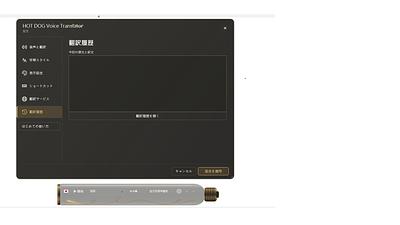
Choose from 24 language and regional options. Select your interface language on first launch; your preferred language appears near the top of translation lists. Select built-in game glossaries and review locally saved translation history. Glossaries help with terminology but cannot guarantee correct translations in every context.
Available voices vary by language and do not all use the same voice or engine. Some offline voices require you to read and accept the included model terms before first use.
Requirements and important information
For 64-bit Windows PCs. Local speech recognition currently requires a compatible NVIDIA CUDA graphics card and driver.
Reverse voice translation requires a microphone. Application-specific audio capture depends on operating-system and application support.
Playback-audio translation alternates with reverse recording and speech playback.
Noise, music, overlapping speakers, accents and system load can affect results and subtitles. Continuous capture may skip outdated segments and is not a guaranteed complete transcription service.
AI recognition, translation and speech synthesis may omit words, mistranslate or misrecognize numbers. Check important information against the original audio.
Additional Notes: NVIDIA CUDA-capable GPU required. CPU-only speech recognition is not supported. A microphone is required for reverse voice translation. Speech recognition, translation and synthesized speech run locally after installation.